
Installation Instructions
How to install Too Long; Didn't View
Requirements
✓ You must have a funded OpenAI account
Too Long; Didn't View relies on OpenAI's API to process content. Learn how to set up your OpenAI account.
Recommended
✓ Create a free Google Cloud account
For full YouTube feature access, we recommend setting up Google Cloud. Follow the Google Cloud setup guide.
Step 1: Download Software
- 1. Log into your Gumroad account to access the latest version.
- 2. Download the installer for your operating system (Mac or Windows).
- 3. Run the installer to begin the installation process.
Step 2: Run Installer
⚠️ Beta Notice: The installer is currently unsigned while we're in beta testing. Your operating system may display a security warning.
This is normal—follow your OS instructions to proceed with the installation.
Step 3: Complete Onboarding
Follow the onboarding tutorial to set up your API keys. Watch the onboarding tutorial.
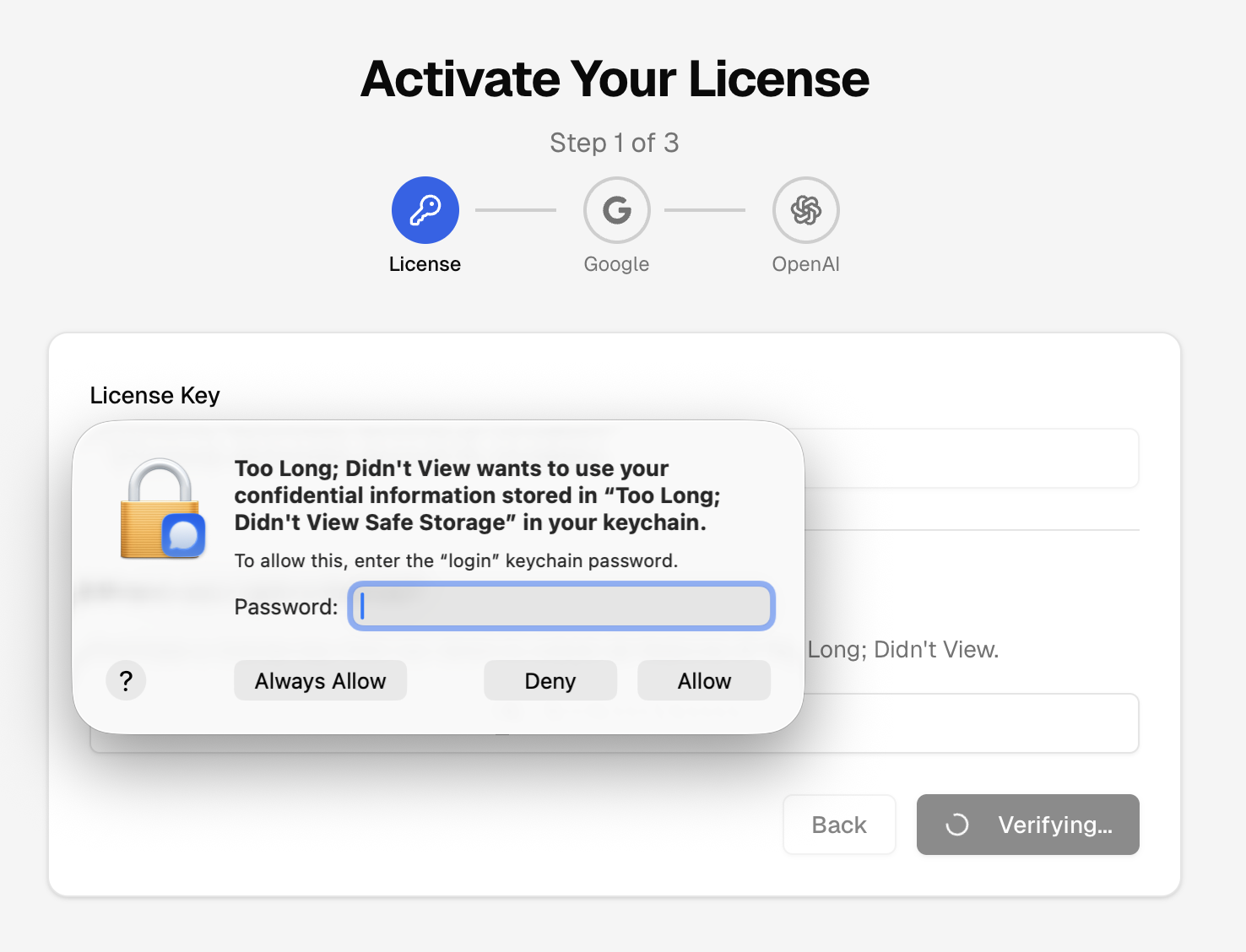
macOS Users: After entering your API key, you'll be prompted to enter your computer password. This allows the app to securely store your license and OpenAI API key in your system keychain:
Need Help?
Encounter any issues during installation? Contact our support team.